
Changelog
24 December 2025 Version 6.32
Sabentis Prime Update: Version 6.32
Personal protective equipment
- New bulk PPE delivery workflow that allows for mass deliveries of multiple items in a single record, whether or not linked to a request. It includes status management (Draft, Pending Signature, Completed, Completed – Partial/Full Return) and automatic creation of individual records for each item of PPE delivered.
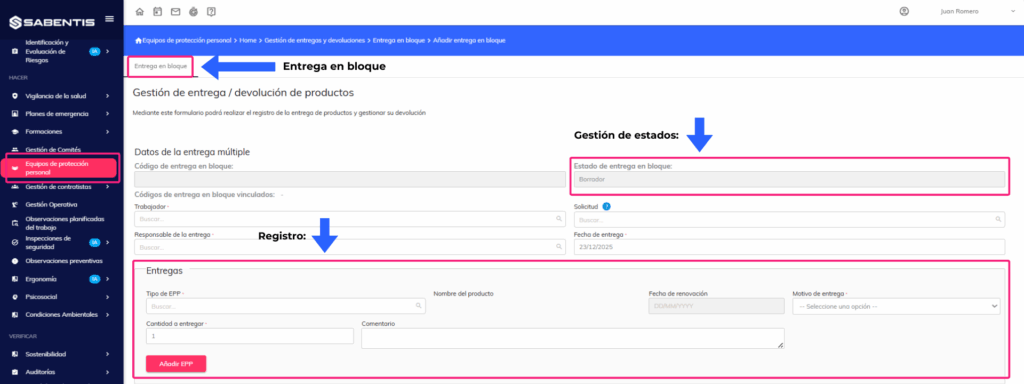
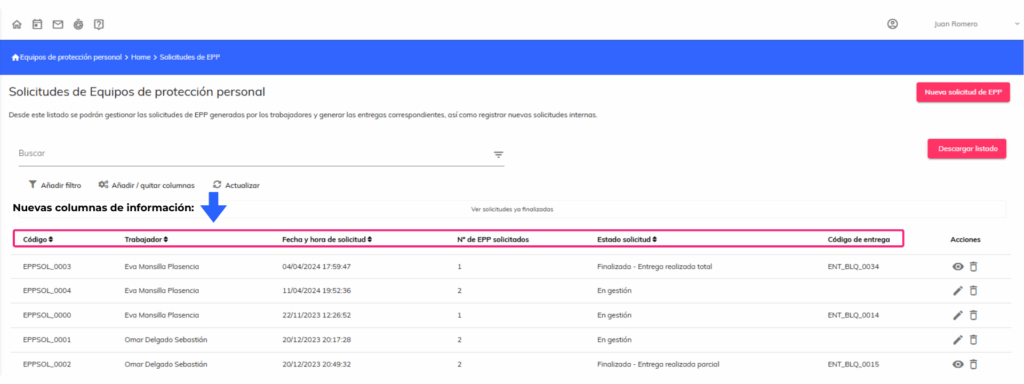
- Modification of the PPE request list with new columns: request code, worker, requester, delivery person responsible, date and time of request, number of PPE requested, request status and delivery code linked to bulk deliveries.
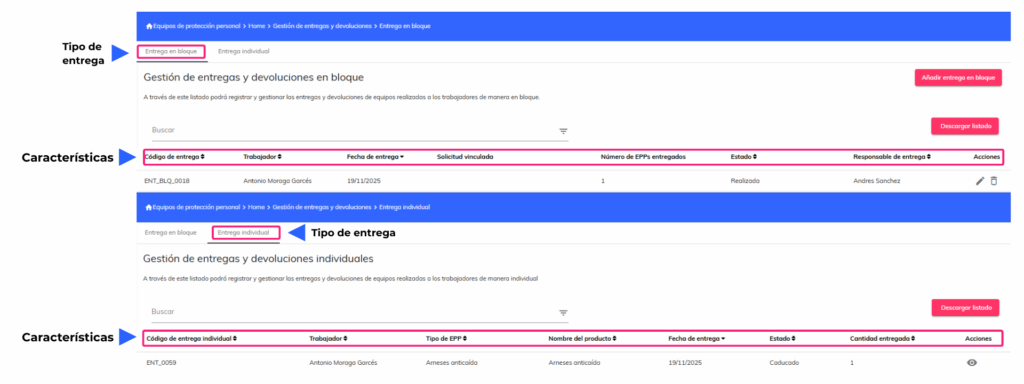
- New bulk delivery list with separate management of individual and grouped deliveries. Includes separate tabs, updated statuses, and validations for editing and deletion based on the delivery type.
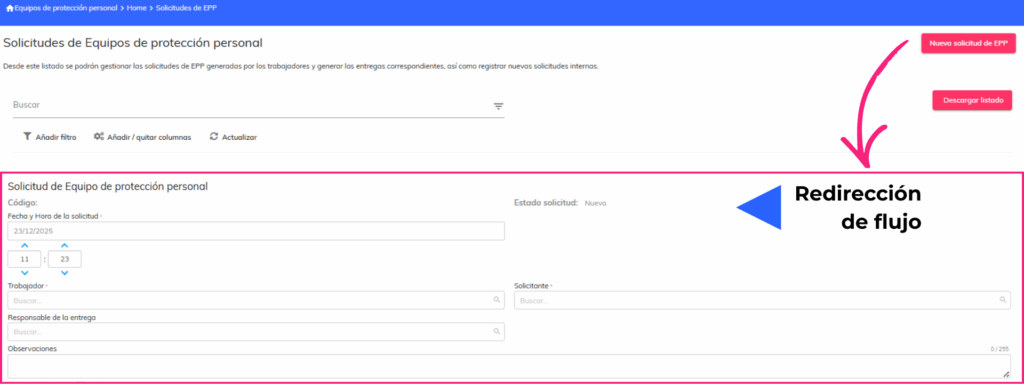
- Changes to the PPE request flow with integration to the new bulk delivery system. Individual delivery buttons have been removed, and requests are redirected to the bulk delivery flow once approved.
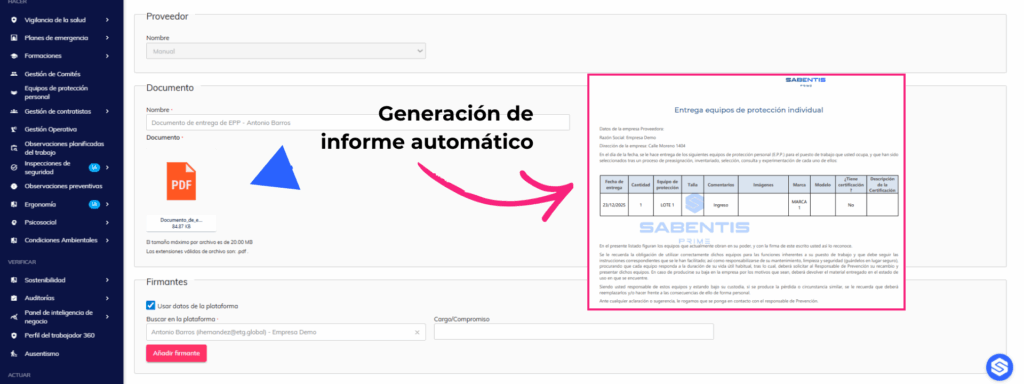
- Automatic generation of PPE delivery reports and submission for digital signature after a bulk delivery. The system generates the document and automatically creates the signature request with the employee’s information and job title.
Ergonomics
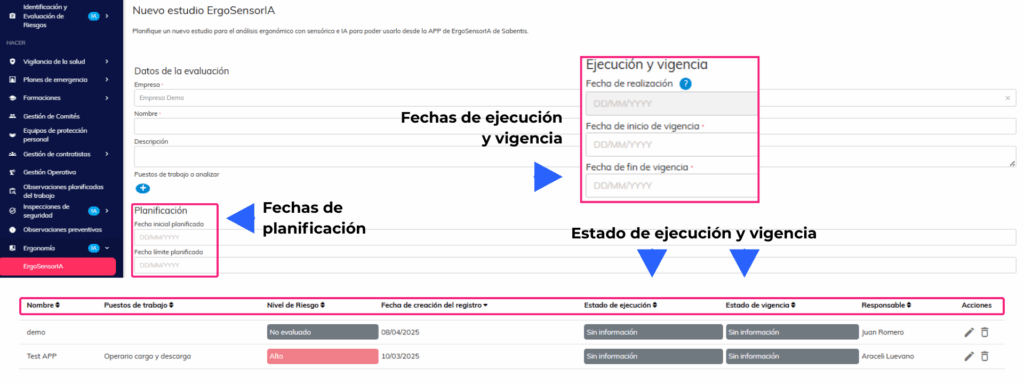
- Add planning dates to ergonomic study forms with new fields for planned start date, planned end date, completion date, effective start date, and effective end date. Includes execution statuses (No information, Pending, On time, Overdue, Completed) and validity statuses (Open, Active, Expired).
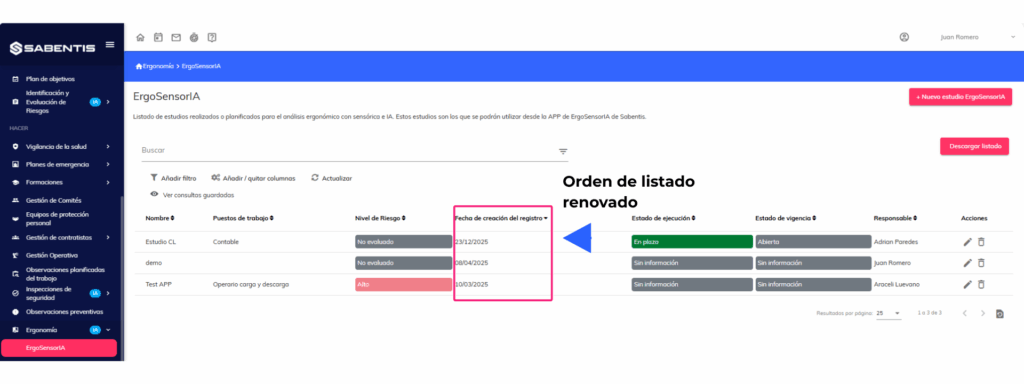
- Order the studies in the default listings in reverse chronological order (most recent first) to facilitate access to the most current studies.
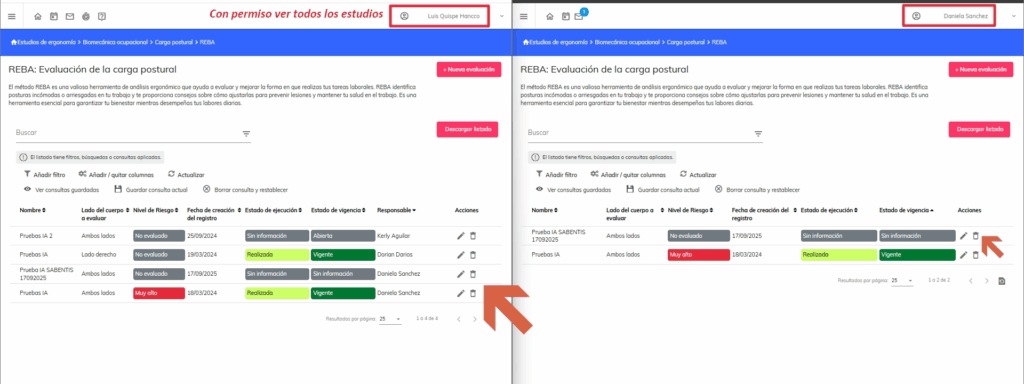
- Visibility of ergonomic studies is restricted to users who have their own studies and are not administrators. A “View all ergonomic studies” permission is created for users who require full access.
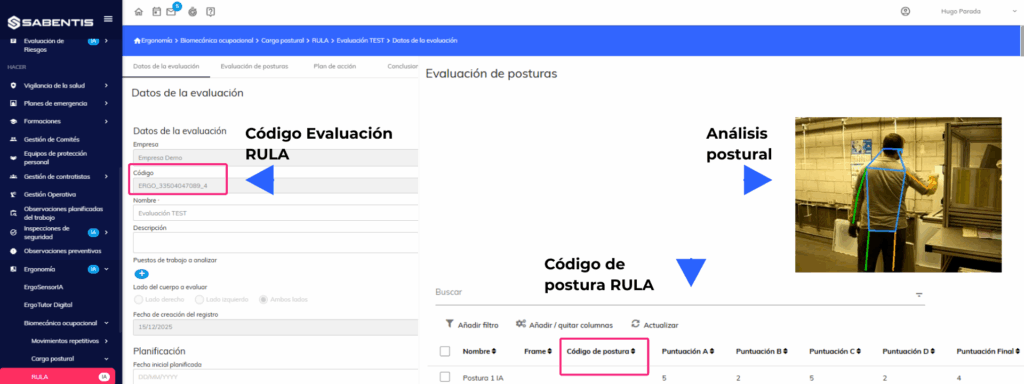
- Add posture code to the RULA methodology with automatic code generation based on the values selected for each item. The code is displayed in the form and the list, updates in real time, and is included in reports and exports.
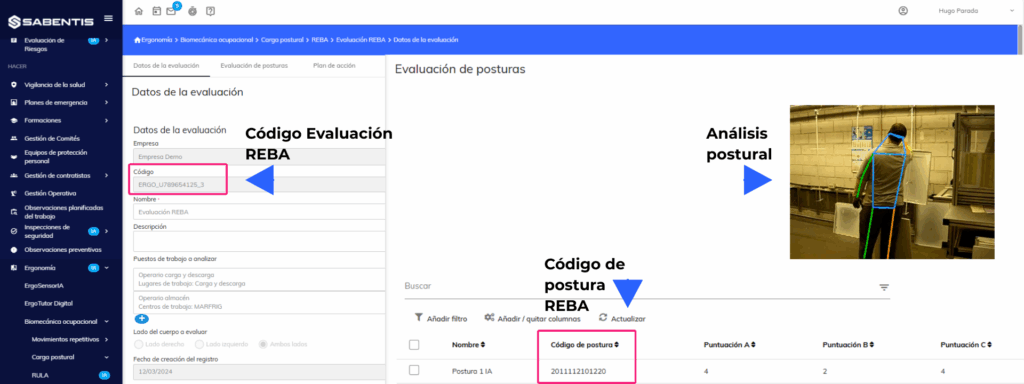
- Display the posture code in the list in a way that is visible to REBA. The column is renamed to “Posture Code” and remains visible both in the form and in the list, updating dynamically when values are modified.
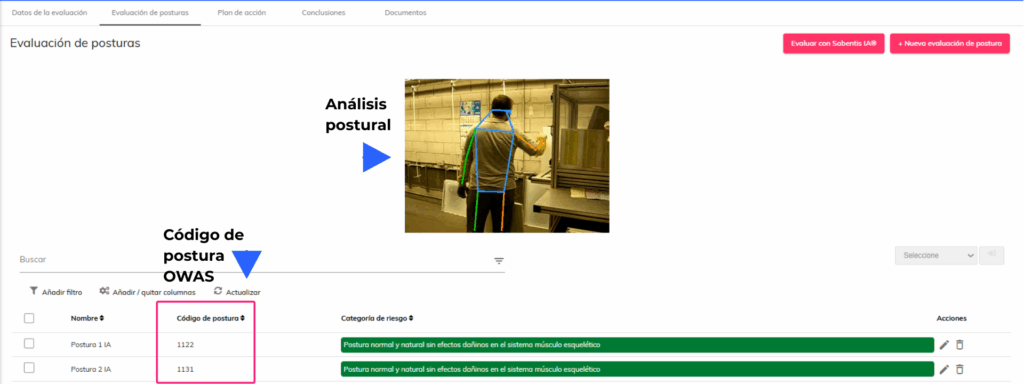
- Adjustments were made to the OWAS posture code to display the “?” character for missing values. The “Coding” column was renamed to “Posture Code” and remains visible in the list.
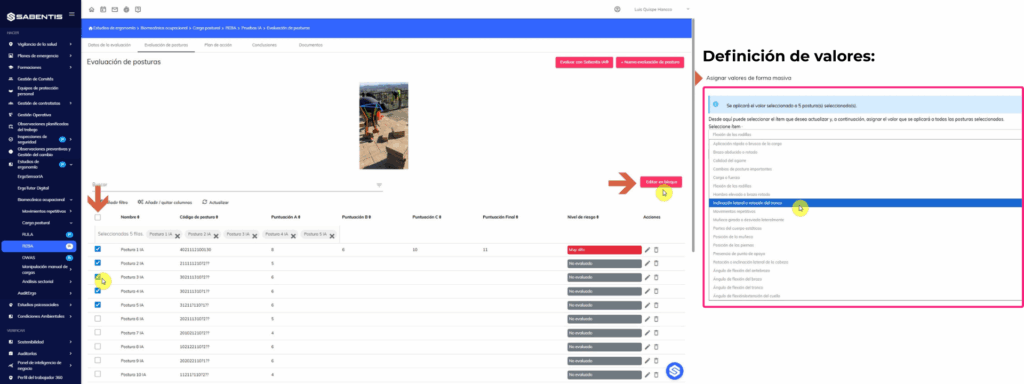
- Define values in bulk for the REBA, RULA, and OWAS methodologies. This allows you to select multiple postures and assign values to specific items in bulk, automatically updating posture codes and recalculating scores.
Health surveillance
- Usability improvements to medical center appointment schedules with day-based blocking configuration. Allows manual blocking with start and end dates and times, and reason for blocking, with validation to prevent overlapping blocks.
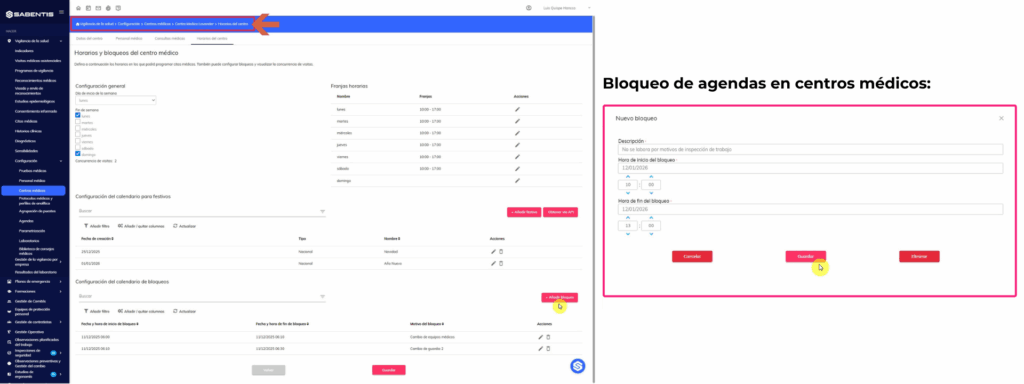
- Company-level RM/VMA duration configuration with options of 15, 20, 30, or 60 minutes. This configuration affects the allocation of time slots in medical appointment schedules.
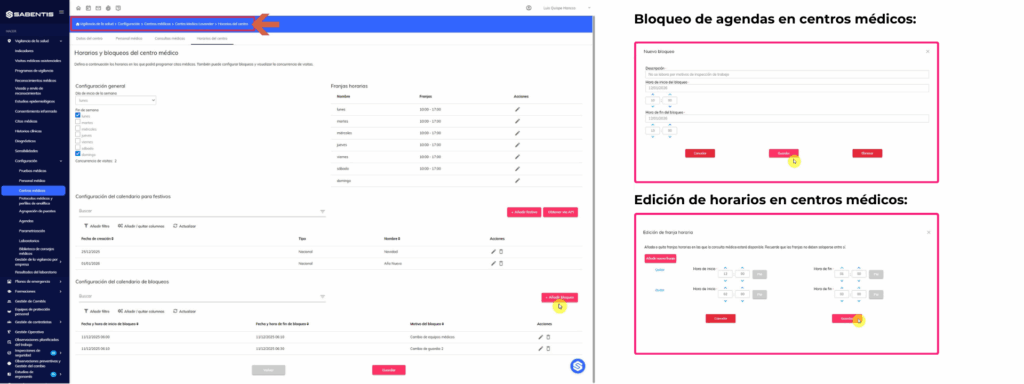
- Medical consultations with the option to define a specific calendar and hours for each consulting room. It allows you to configure different times per day, define time slots, and assign blocked appointments, with validation to ensure they do not exceed the medical center’s hours.
Risk identification and assessment
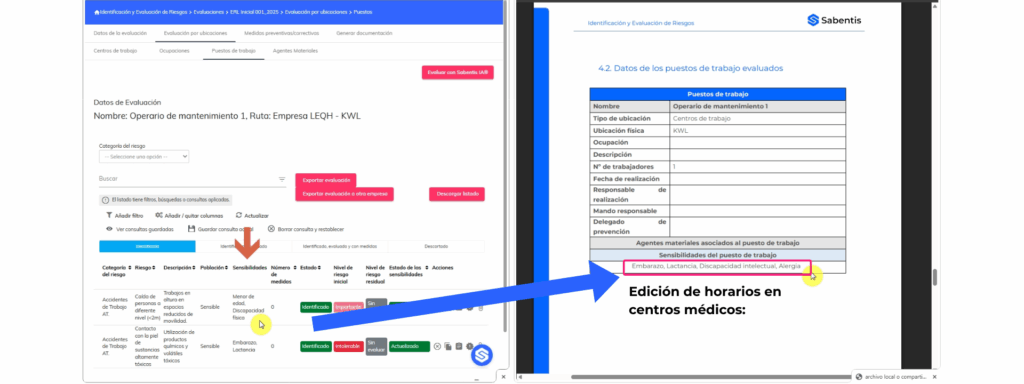
- The risk assessment report has been modified to include job sensitivities and comprehensive action planning. A sensitivity table has been added to the Job section, and a new section, “PLANNING OF PREVENTIVE ACTIVITIES,” has been added at the end of the report.
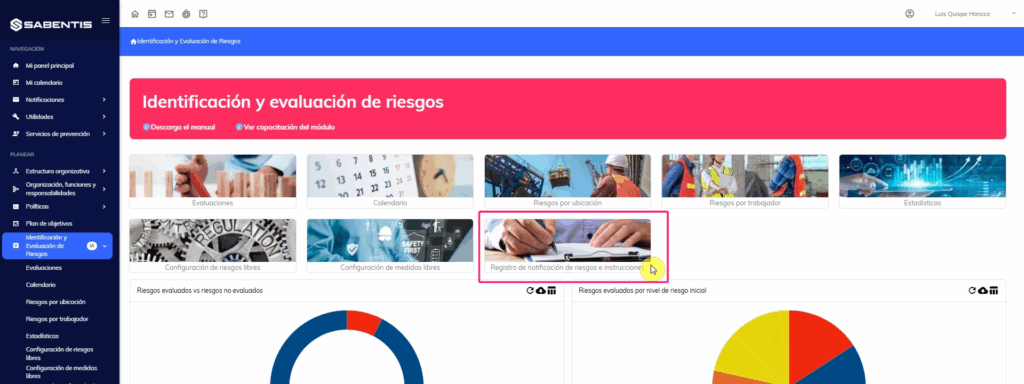
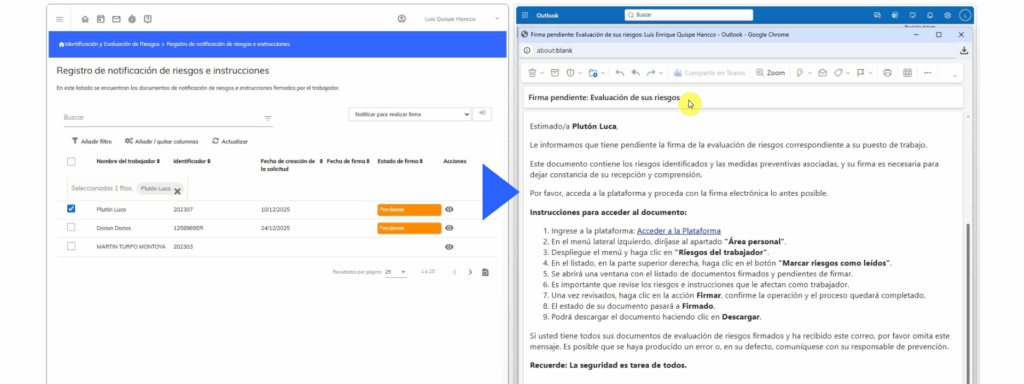
- Create a card view for the risk notification and instructions log administrator. This allows you to manage risk notification documents signed by workers, generate reports in bulk, send notifications for signatures, and delete pending reports.
- General notification to employees regarding the need to sign off on associated risks. This notification is automatically sent after the “Notify to sign” action, with detailed instructions for accessing and signing the document.
Comprehensive planning of measures
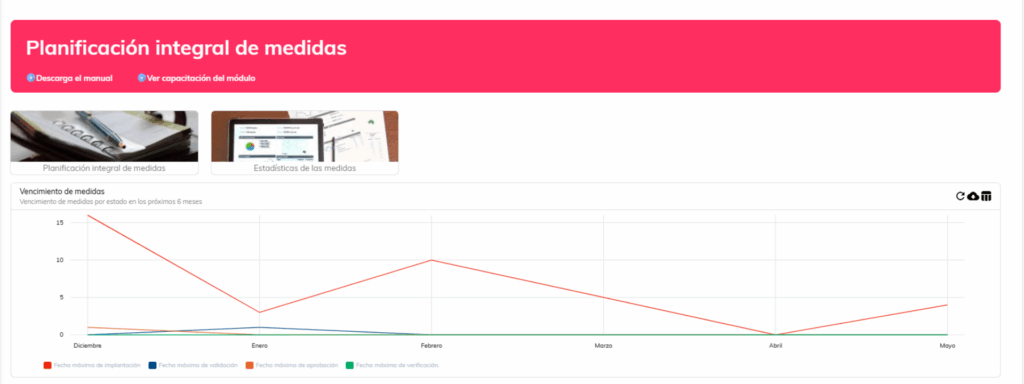
- Management of measures with periodic (continuous) verification frequency. Allows you to define the review frequency, assign responsibility for periodic verification, and generates automatic verification tasks. Includes a review history section, a new “Pending Periodic Review” status, and automatic notifications when the scheduled date is reached.
- Define permissions for managing assigned responsibilities in actions. Implement a restrictive workflow where only those responsible for each phase (Approval, Implementation, Validation) can manage their corresponding phase. Includes company-wide configuration to enable or disable these restrictions.
Employee Portal
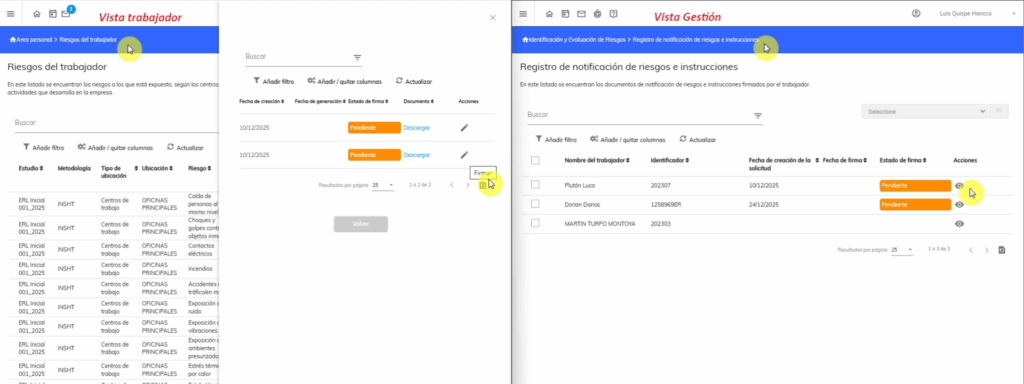
- Modify the behavior of the risk notification document in the employee view. The “Mark risks as read” button now displays a list of notification reports with statuses (Pending signature, Signed) and allows you to download and sign documents directly from the list.
Digital signature
- Add digital signature to the audit module. This allows you to send generated documents for digital signature from the document generation list.
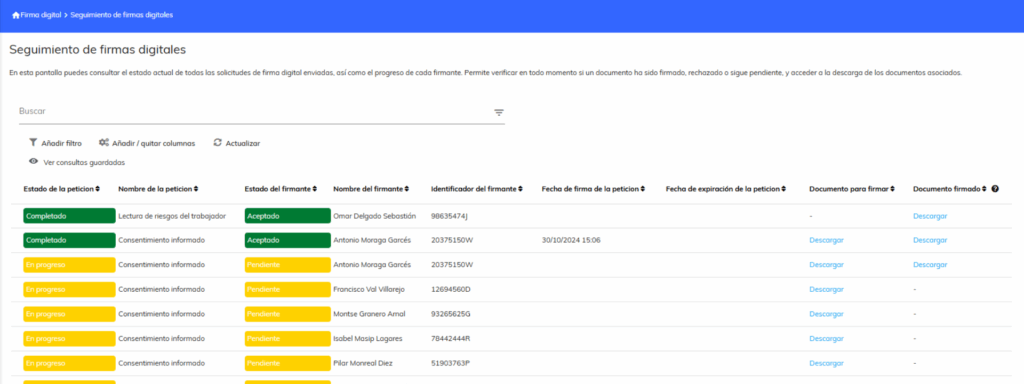
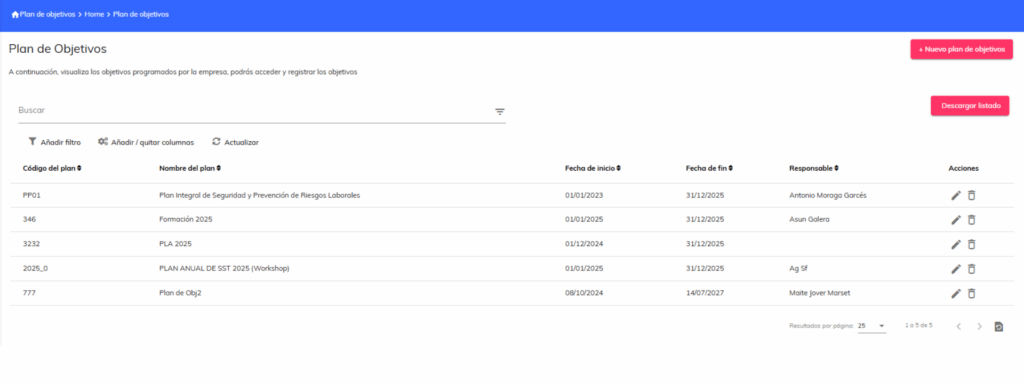
- Add digital signature to the goals plan module. This allows you to send documents for digital signature from the goals plan document list.
Organizational structure
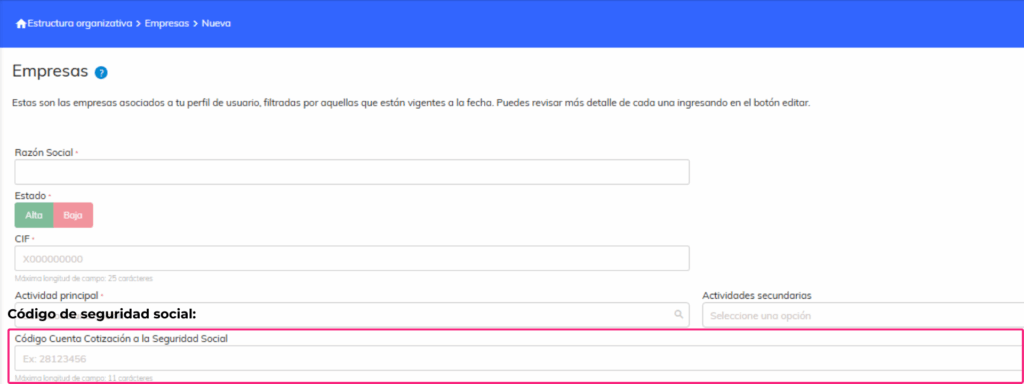
- Create fields in the company form for the delt@ application. The field “Social Security Contribution Account Code” (numeric, 11 digits) is added to comply with the requirements of the delt@ report.
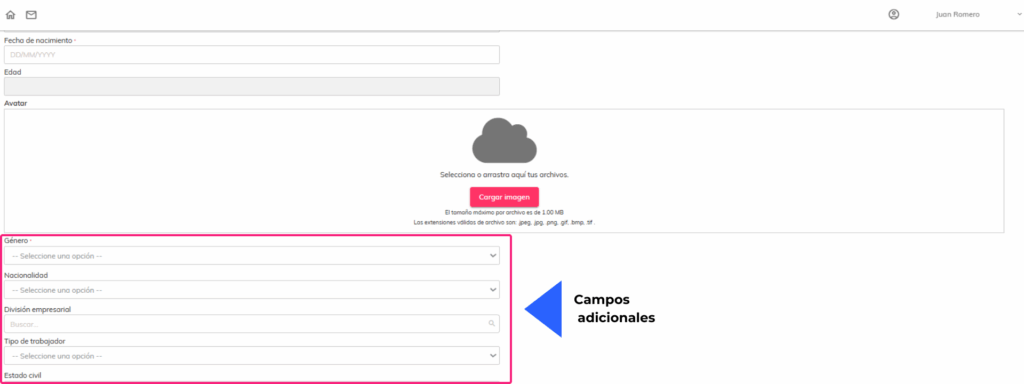
- Create fields in the employee form for the delt@ application. Fields for Nationality, Professional Status, Social Security Affiliation Number (NAF), and Social Security Scheme are added; all are configurable and optional.
Absenteeism
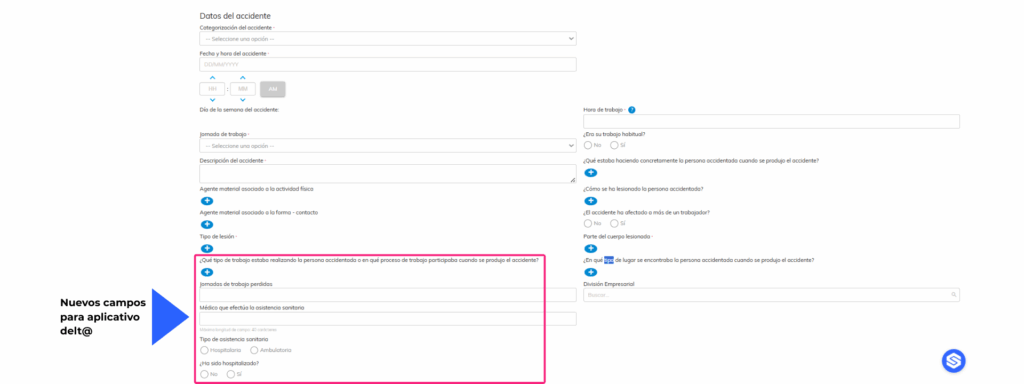
- Create and modify fields in the accident form for the delt@ application. Fields for location type, work type, attending physician, type of healthcare, hospitalization, and facility have been added. Form sections have been modified, and auto-completion rules have been implemented based on the selected accident location.
Safety inspections
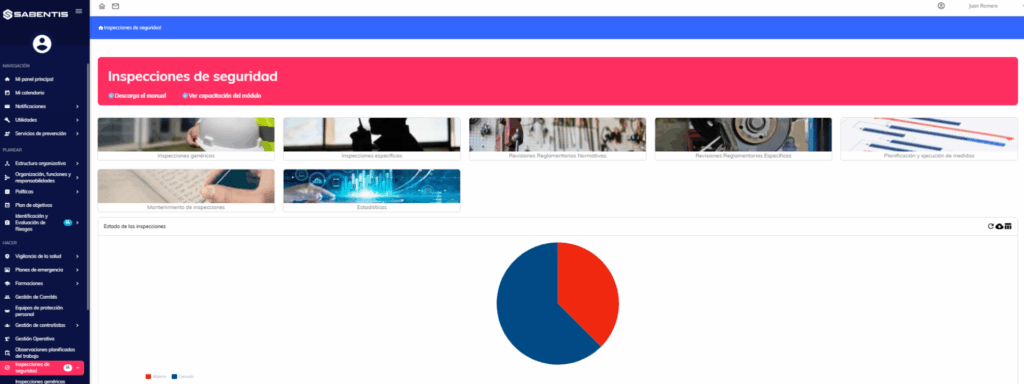
- Add the “Signature” field tag for the person responsible for the inspection and review report process. The tag captures the signature of the person responsible for the assessment and is added to the end of the report in a specific size.

 5
5

