
Changelog
20 April 2026 Version 6.34
Sabentis Prime Update: Version 6.34
Absenteeism
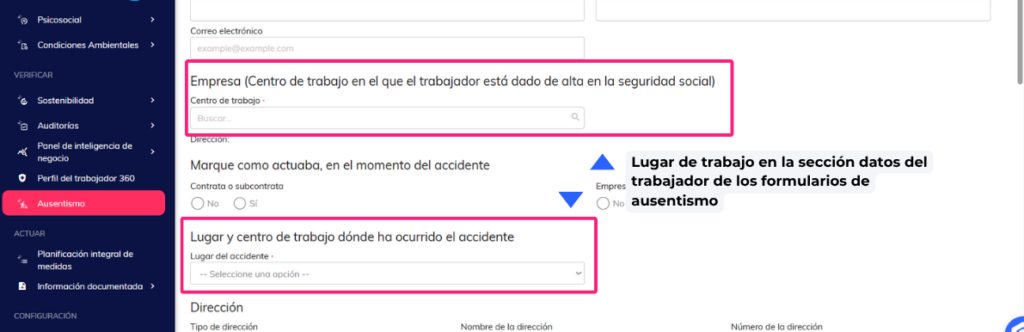
- It is permitted to report the workplace in the worker data section of the absence forms: work accidents, occupational disease and common contingencies.
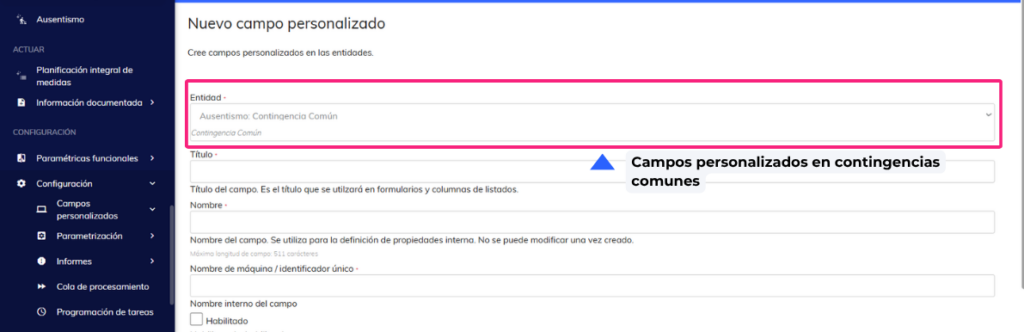
- Custom fields in common contingencies. Adding custom fields is allowed in common contingencies.
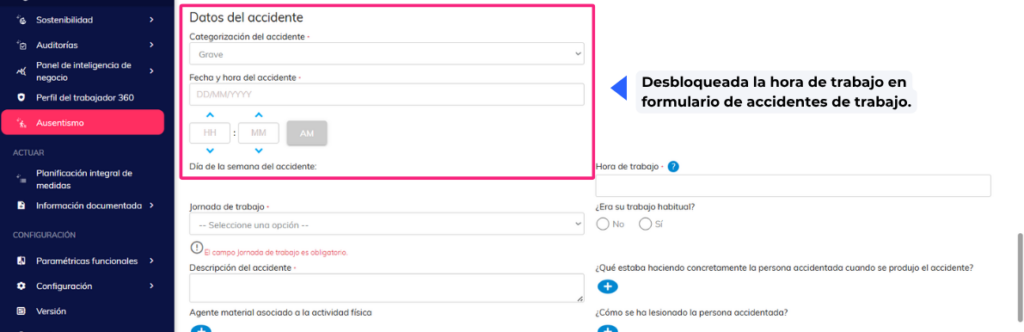
- Unlock work hours in the AT form. The “Work Hours” field is unlocked when the accident location is “In itinere”, allowing the value to be reported correctly.
Personal protective equipment
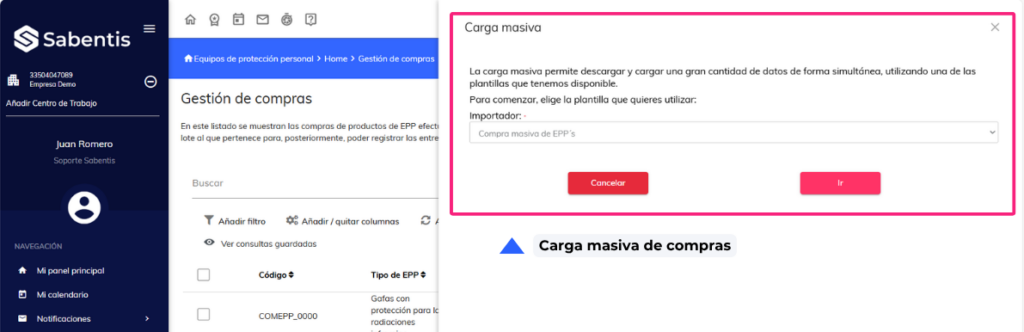
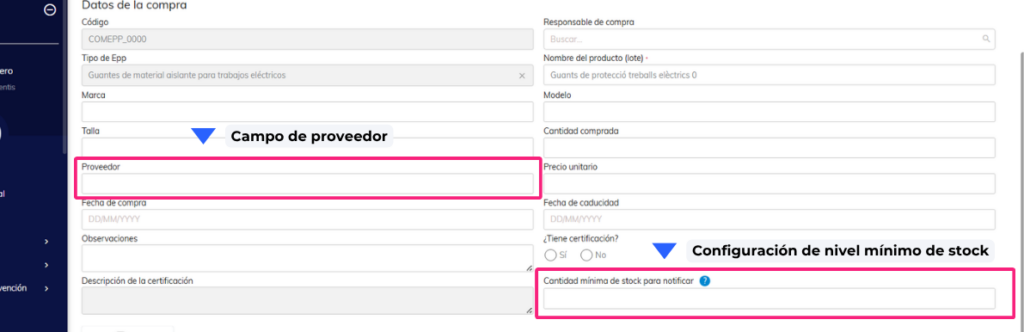
- Bulk purchase upload. Allows the user to make bulk purchases of PPE from Purchase Management.
- Configure Minimum PPE Stock Level and Notification. A field is available to define the minimum stock quantity and configure alerts.
- Add supplier to the purchase list. The supplier column is now included in the Purchase Management list.
Ergonomics
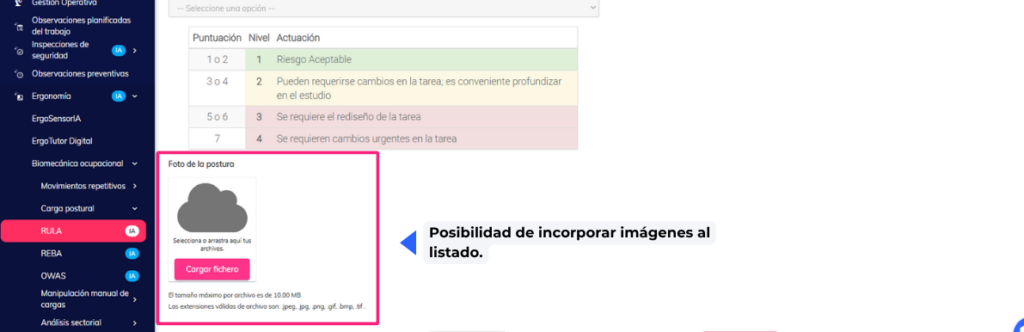
- The ability to add images to the list allows evaluator users to attach images to the posture assessment (RULA/REBA/OWAS).
Organizational Structure
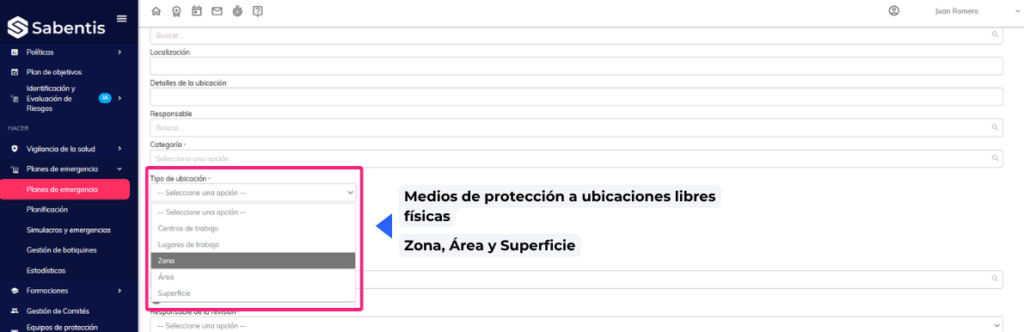
- The ability to associate protective equipment with a custom functional location (ULF). Protective equipment can now also be associated with custom functional locations, not just centers or workplaces.
- Modify bulk upload of protective equipment. The bulk upload is expanded to include the new levels (Zone, Area, Surface).
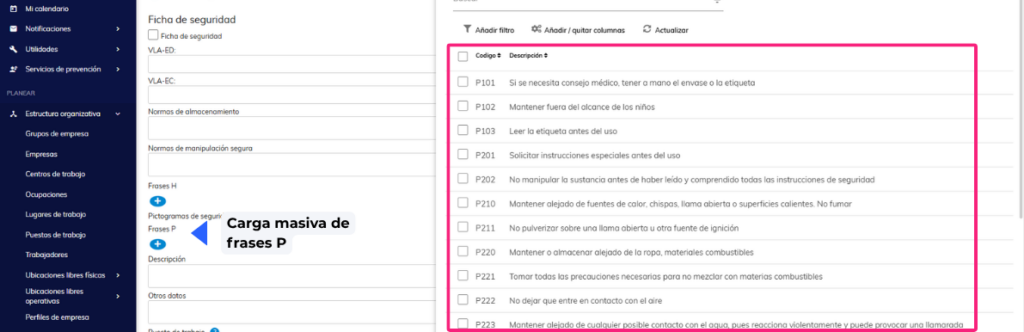
- Bulk upload of P-phrases to chemical agents. The bulk upload of chemical agents is improved by incorporating P-phrases.
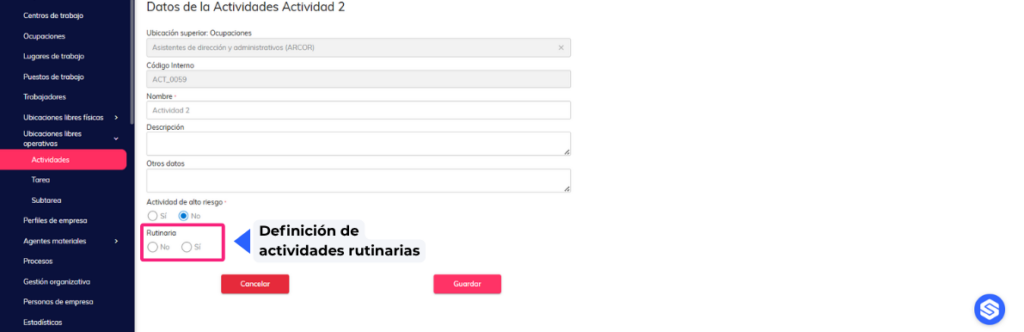
- Define whether the activity is routine or not. You can indicate whether a recorded activity is routine or non-routine.
Training
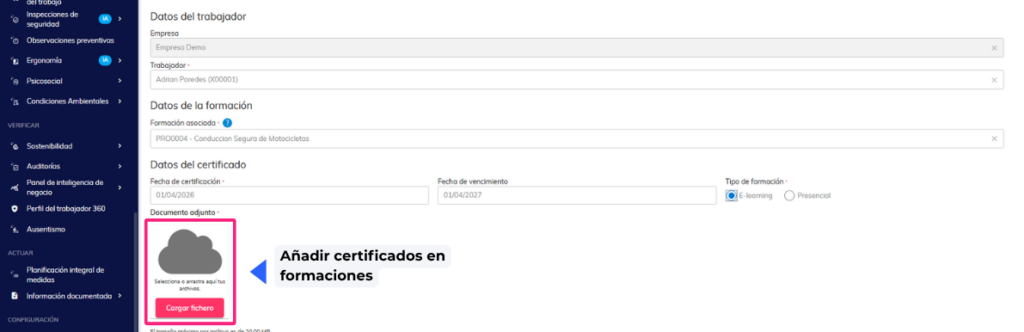
- Adding tags to certificates. Tags can be added during the certificate generation process.
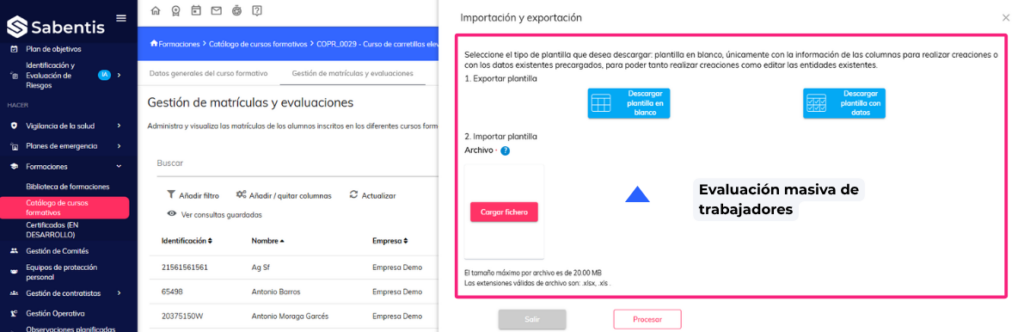
- Mass evaluation of employees. Allows for the simultaneous evaluation of multiple employees from the course catalog.
Committee management
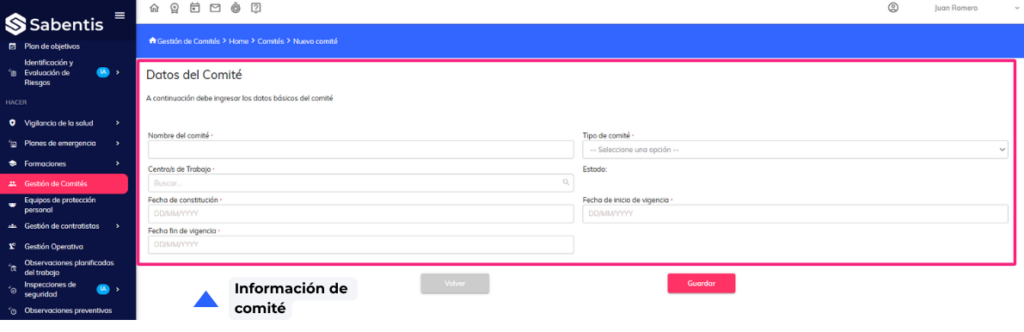
- Manage my committees. New “View my committees” permission that restricts visibility to only those committees where the user is an active member, complying with confidentiality requirements.
Contractor management | Coordination of business activities (CAE)
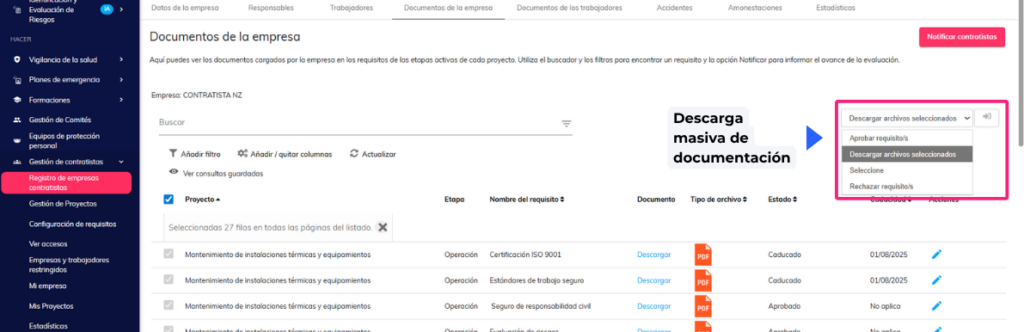
- Bulk document download. Bulk document download is now enabled in the contractor management module.
Risk identification and assessment
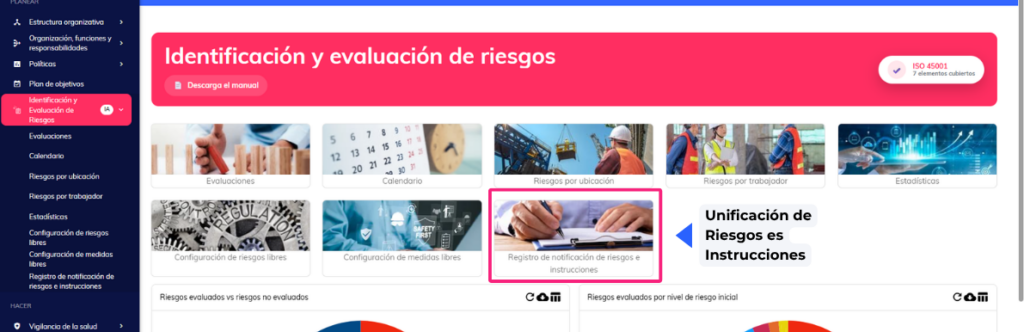
- Unification of the Risks and Instructions section in IER and IPER. The generation of risk and instruction documentation is unified between both modules.
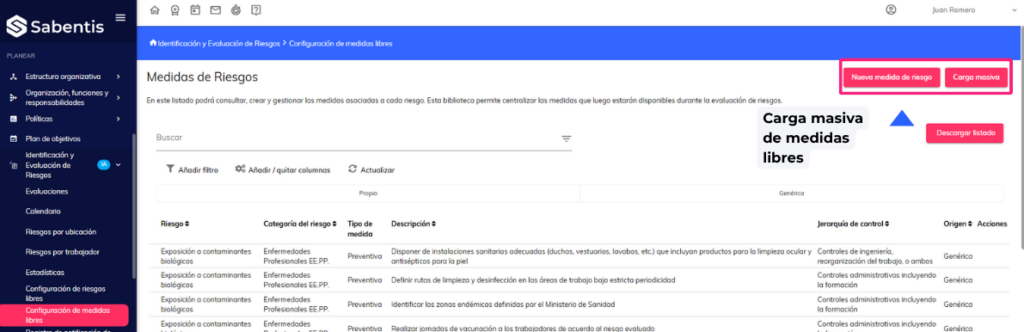
- Bulk upload of standalone measures in IER. The functionality for bulk uploading standalone measures via Excel file has been incorporated.
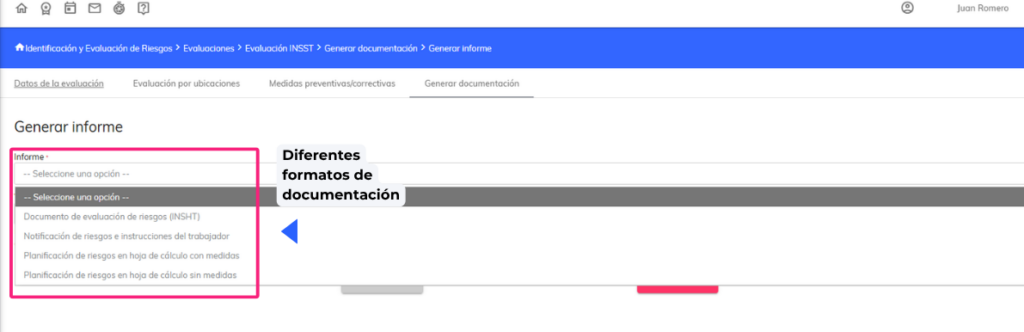
- Upload files in different formats – Generate documentation. Uploading other file formats is allowed when generating assessment documentation.
Safety inspections
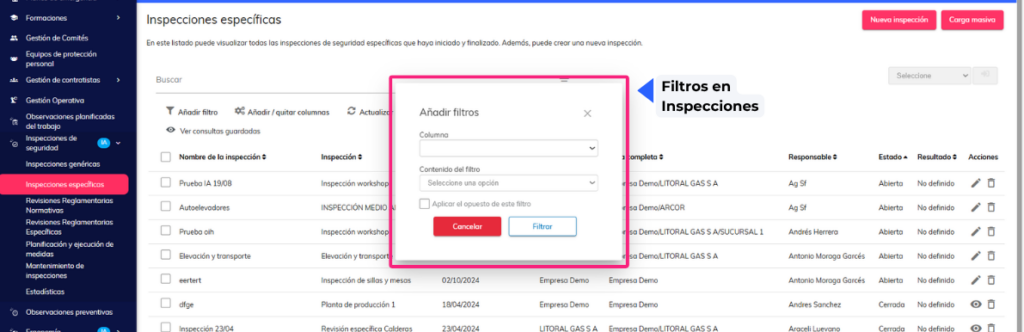
- Filter persistence in Inspections module listings. Applied filters are retained when navigating within the module.
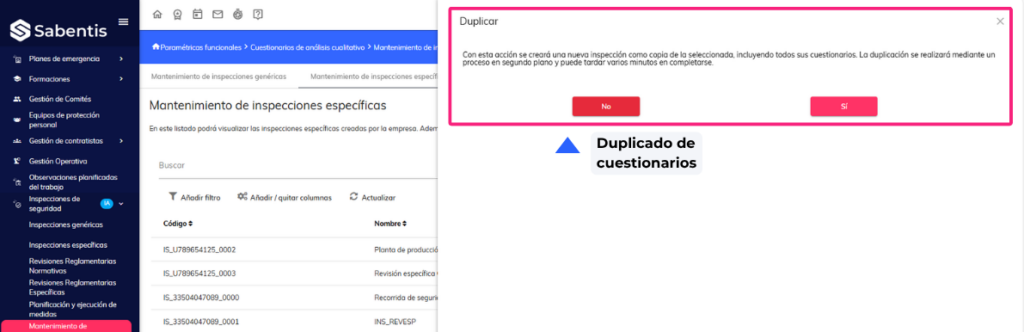
- Inspection Maintenance – Duplicate Questionnaires. Questionnaires can now be duplicated from the Inspection Maintenance section.
Preventive observations
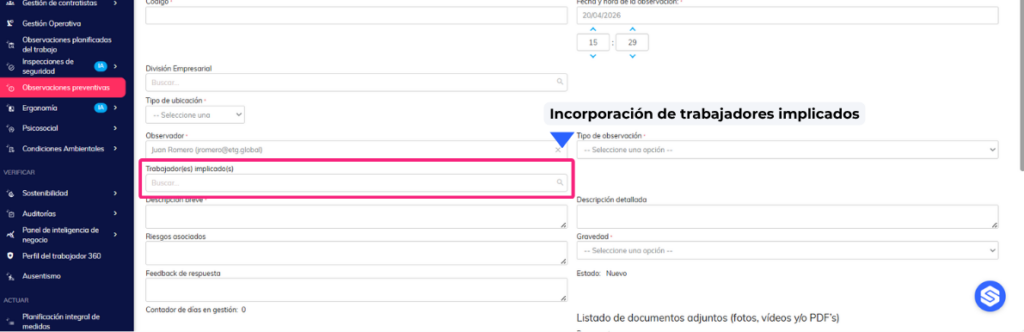
- Addition of the “Workers Involved” field. New field to record workers involved in a preventive observation.
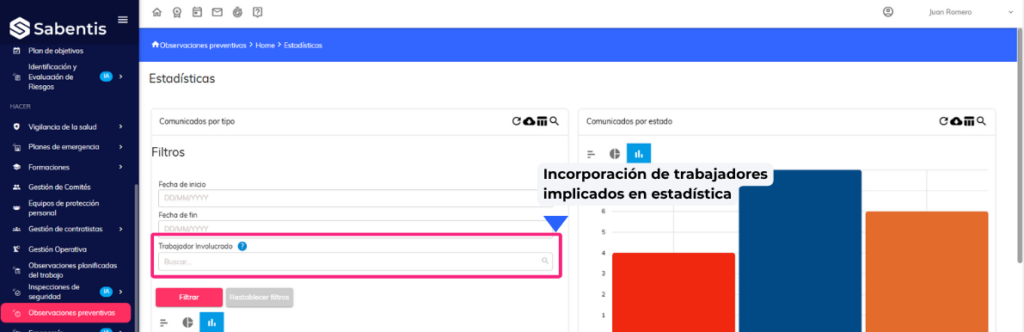
- “Worker Involved” filter in Preventive Observations Statistics. New filter in the “Observations by Type” graph to view observations by specific worker.
Emergency plans
- Expiration alerts and upcoming inspections of personal protective equipment. Alerts are implemented for expiration dates and pending inspections of personal protective equipment and first aid kits.
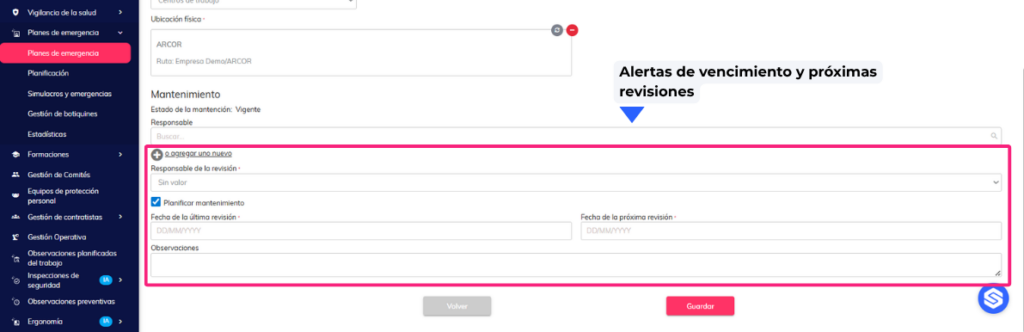
- The ability to associate protective equipment with a ULF (custom functional location). It is permitted to register protective equipment in custom functional locations within the emergency plan.
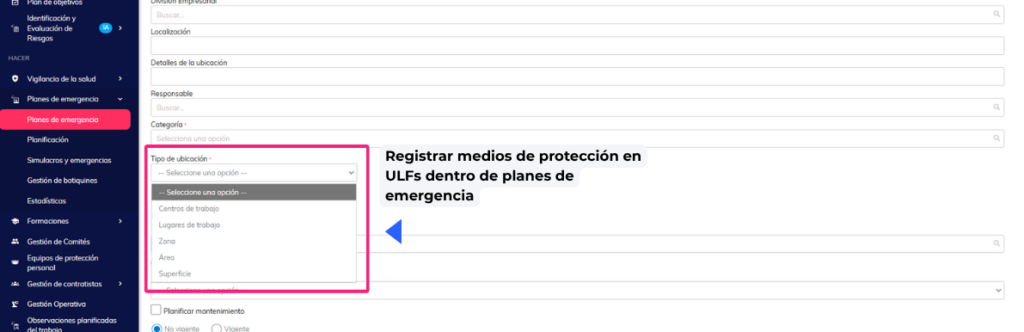
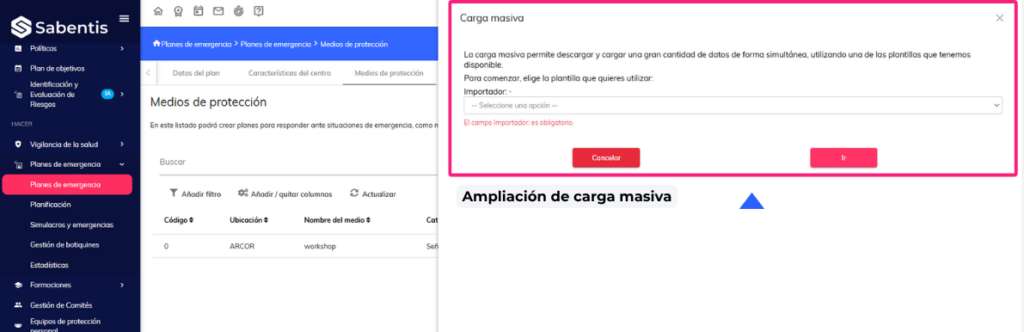
- Modify bulk upload of protective equipment. The bulk upload is expanded to include new location levels (Zone, Area, Surface) and restricted to the Work Center of the plan.
Comprehensive planning of measures
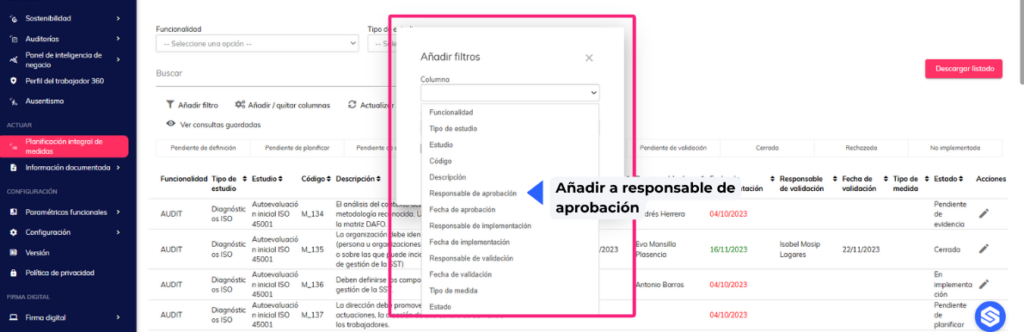
- The ability to filter by responsible parties (approval and validation) has been added to the list. Filters for approval and validation managers have been incorporated.
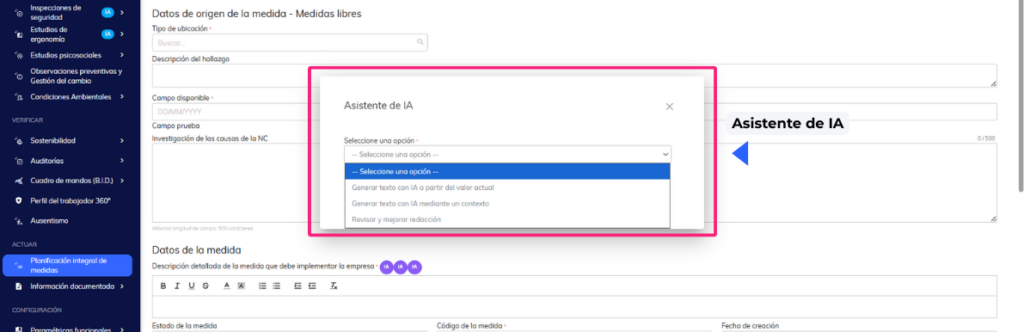
- Use of AI to draft preventive/corrective measures. Artificial intelligence assistance is incorporated to generate and improve text in measure fields.
Health surveillance
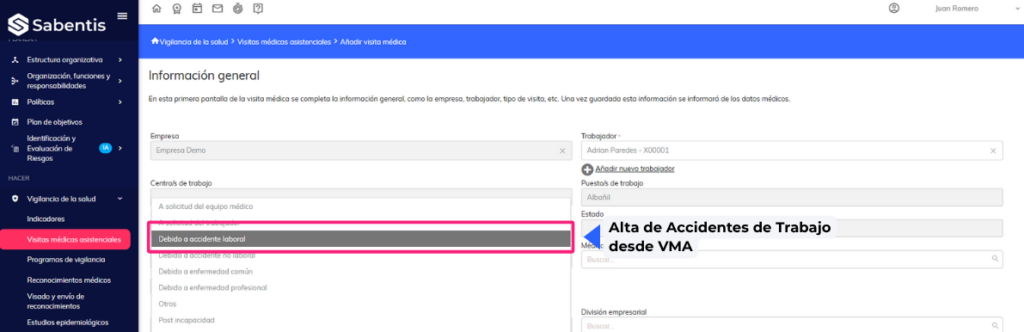
- Work Accident Registration from VMA (view or assign PT, LT and ISCO). Work accidents can be registered directly from the medical care visit form.
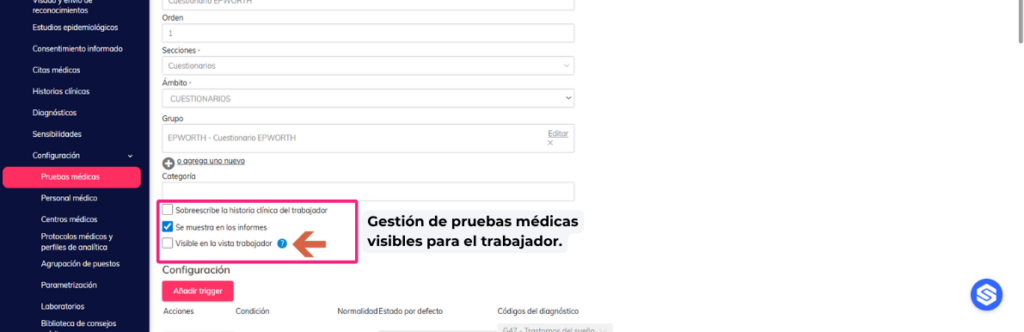
- Management of medical tests visible to the employee. It allows you to configure which medical tests are visible to the employee while the appointment is pending.
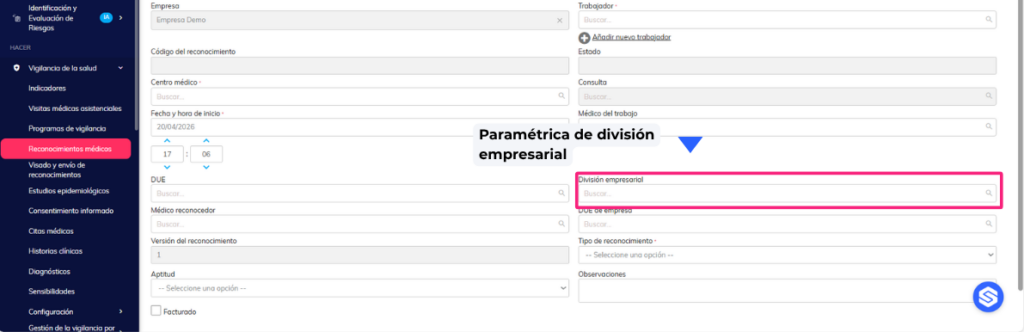
- Add the “business division” parameter. The “business division” field is added to the medical examination and healthcare visit forms.
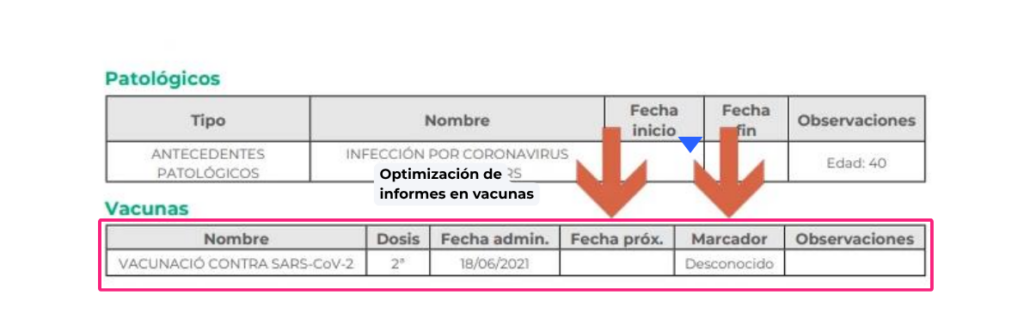
- Report improvements. Vaccine reports for medical examinations and healthcare visits have been improved.

 5
5

