The 5 advantages of Sabentis’ image viewer

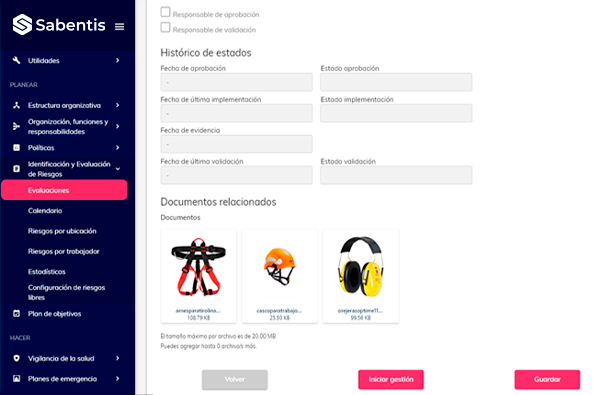
Sabentis’ image viewer instantly recognizes the document type. Identifying it from the thumbnail simplifies the search. Furthermore, it’s key to optimizing day-to-day preventative management. This is just one example of the occupational health and safety (OHS) technology solutions incorporated into the platform.
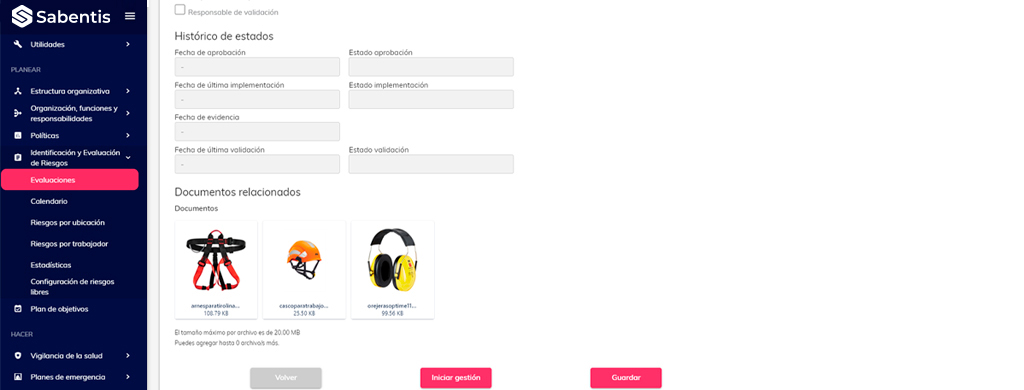
Document preview on an OSH platform
Today we live in an increasingly visual and digital world. That’s why efficiency and accessibility are essential in any use of technology. A comprehensive management platform like Sabentis is no exception. In this context, document previewing plays a crucial role in usability. At first glance, it might seem like a minor feature. However, it’s one of those improvements that fundamentally changes how we work with digital files. More articles on the Sabentis blog.
Why previewing improves document management
Document safekeeping is one of the greatest assets of daily work in Occupational Safety and Health. Being able to identify the type of document in a second, from its thumbnail, makes it much easier to locate. Furthermore, it offers a significant advantage in the daily management of preventative measures. This document safekeeping system is integrated into a prevention software program that centralizes all the information.
Advantages of the Sabentis image viewer
- Instant viewing. The new image viewer allows you to identify the file and its content. There are three options: image files, video files, and documents. Thanks to icons and customizable thumbnails, the user experience is significantly improved. This allows platform users to manage their content more efficiently, without having to open each file to confirm its contents.
- Personalization. Sabentis’ adaptability and customization make it easy to tailor previews to the client’s needs. This ensures the platform is not only more accessible but also more user-friendly, while also aligning with the company’s brand and visual style.
- Double efficiency. The implementation of two different views—list mode and cards mode—addresses distinct display needs. List mode, with its neat row layout, is very helpful for those who prefer to see all the information on screen at a glance. This includes the full file name and its size. On the other hand, cards mode offers a more aesthetically pleasing and less cluttered view, with predefined thumbnails that provide quick and visual access to the files.
More advantages: intuitive interaction and augmented vision
- Intuitive Interaction. One of the most remarkable features of this image viewer is its intuitive interaction. When you hover the cursor over it, the same options available in list mode appear, providing a consistent and seamless user experience. This means that whether you prefer a list view or a card view, the same essential functions are always readily available: download, view (in the case of image files), or delete.
- Augmented View. The ‘View in Viewer’ function opens an image viewer window that allows users to view visual files in an enlarged version. This feature is essential for those who need a more detailed view of their files before downloading or opening them.
Thanks to these advantages, working with digital documents is more intuitive and faster. Ultimately, it’s also more human. Good document management also facilitates compliance with the ISO 27001 information security standard. Features like these reinforce why Sabentis is one of the best occupational health and safety management software solutions.